 |

|
|
|
|

Good: DrawPad features pencil and brush tools, raster and vector images, image layers for non-destructive editing, and effects such as bevels and shadows. Easily Draw and Create Graphic Images. Create banne... (this pertains graphics, graphic, images, image, sketching, painting, drawing, sketch, paint, draw, ...) | DrawPad Free Graphic Editor 1.11 [Home] - by: NCH Software - Download 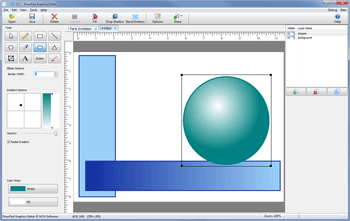 Click to enlarge Some words about DrawPad Free Graphic Editor: Easily Draw and Create Graphic Images. DrawPad is an easy-to-use image composition and manipulation program, and an essential tool for all types of graphic design projects, including: Creating banner ads or invitations, Make sketches and paintings on your computer, Draw diagrams, icons and other web graphics. DrawPad is ideal for creating images, drawings, and for paintings. DrawPad features pencil and brush tools, raster and vector images, image layers for non-destructive editing, and effects such as bevels and shadows. Editing features include crop, rotate, resize, and flip. DrawPad also supports png, bmp, jpg, gif, pdf, and svg formats. Features: *Pencil and brush tools for drawing, sketching and painting *Work with both raster and vector images *Image layers allow for non-destructive editing *Add effects such as bevels and shadows *Fill areas with solid colors, gradients, patterns or textures *Editing features including crop, rotate, resize and flip *Insert shape objects, including circles, rectangles, polygons, stars, word/thought bubbles and more *Insert text and edit the font, size, color and weight *Save graphics as png, bmp, jpg, gif, pdf, or svg files News, new features for this New Release:
User's remarks, reviews, comments (Add your comment / review) | Type: Freeware Download size: 523 Kb Date: 06/17/2014 Program home Install/Uninstall: Install and Uninstall OS: WinXP, WinVista, WinVista x64, Win7 x32, Win7 x64, Windows 8 Sys requirements: Windows XP/Vista/7/8 Language: English |
See also in Graphic Painting and Drawing: Image Editing
|


 Free Download: